



Staking STRK via Crouton Digital
How to stake STRK tokens via Crouton Digital
Maximize your STRK token’s potential with Crouton Digital Staking. Delegate your STRK tokens securely and start earning staking rewards with Crouton Digital’s validator. Follow this easy guide to stake your STRK tokens.
1. Go to the Website
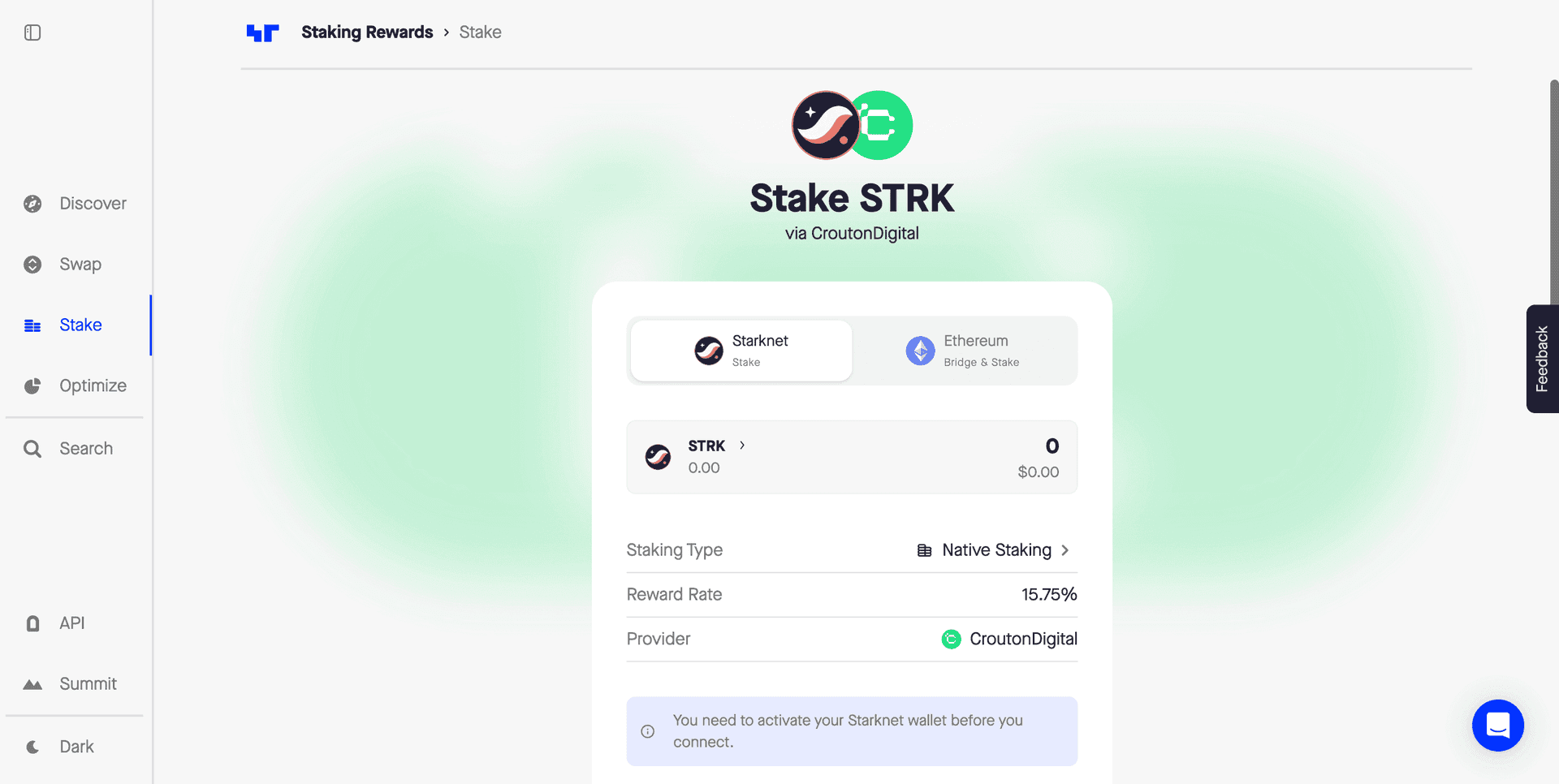
Open the website https://www.stakingrewards.com/stake-app in your browser.
2. Connect Your Wallet
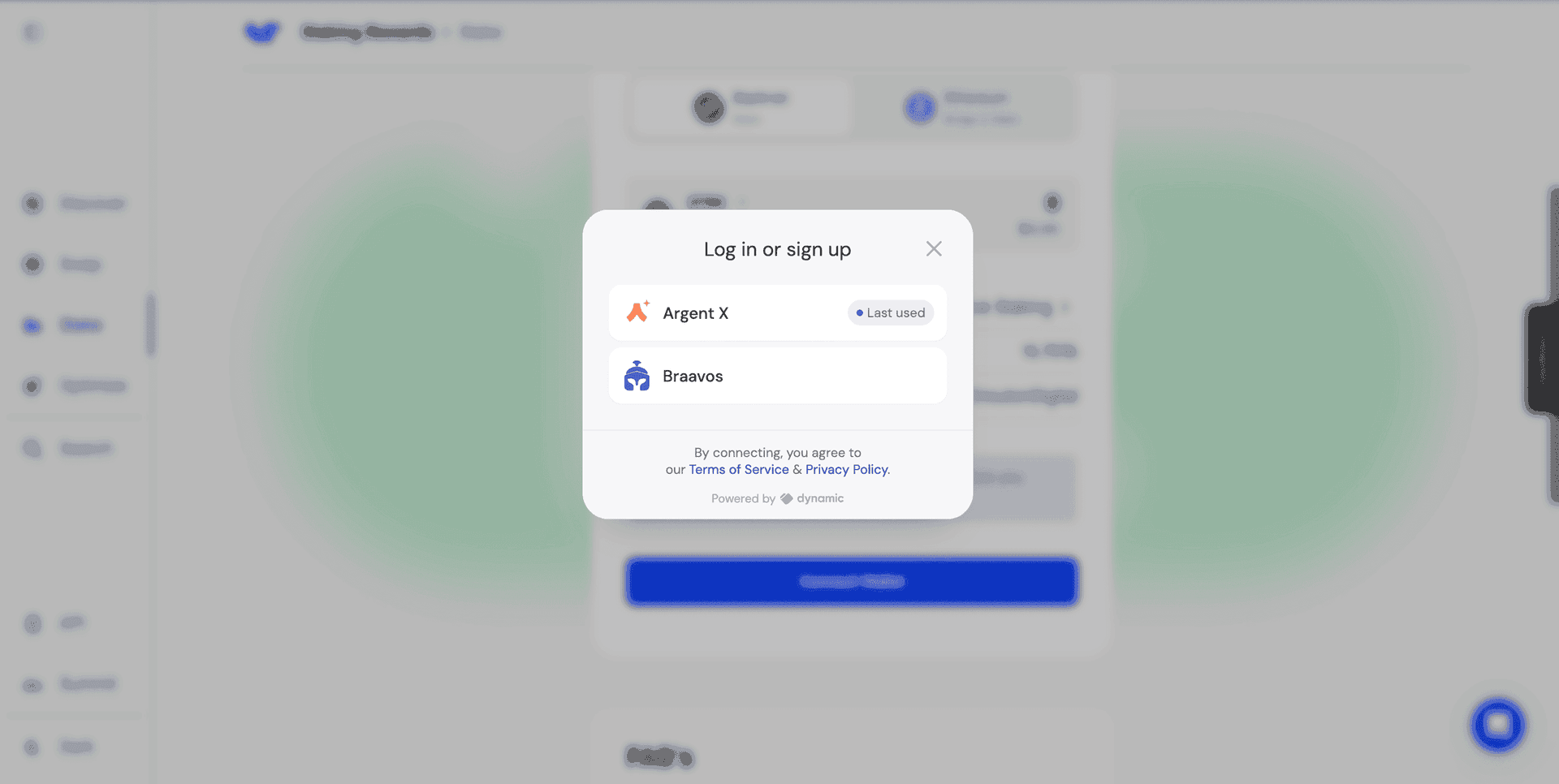
In the center of the website, find the button to connect your wallet. Choose a wallet that supports STRK tokens and StarkNet, such as Argent X or Braavos. Follow the instructions to authorize and connect your wallet.
3. Select the Crouton Digital Validator
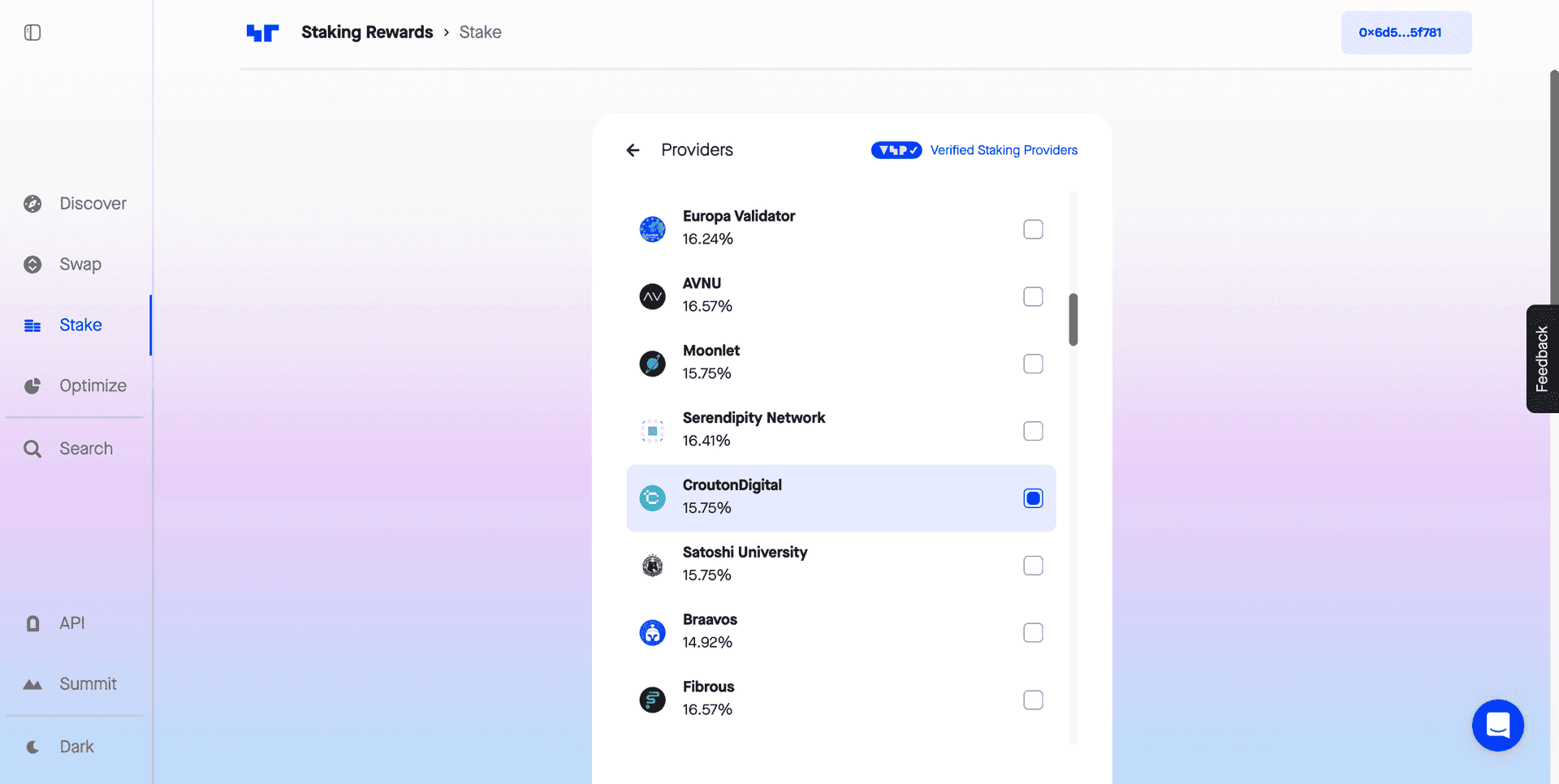
After connecting your wallet, you will land on the page. Click Stake.
A list of available validators will be displayed. Find and select the CroutonDigital validator.
4. Enter the Amount of STRK Tokens to Stake
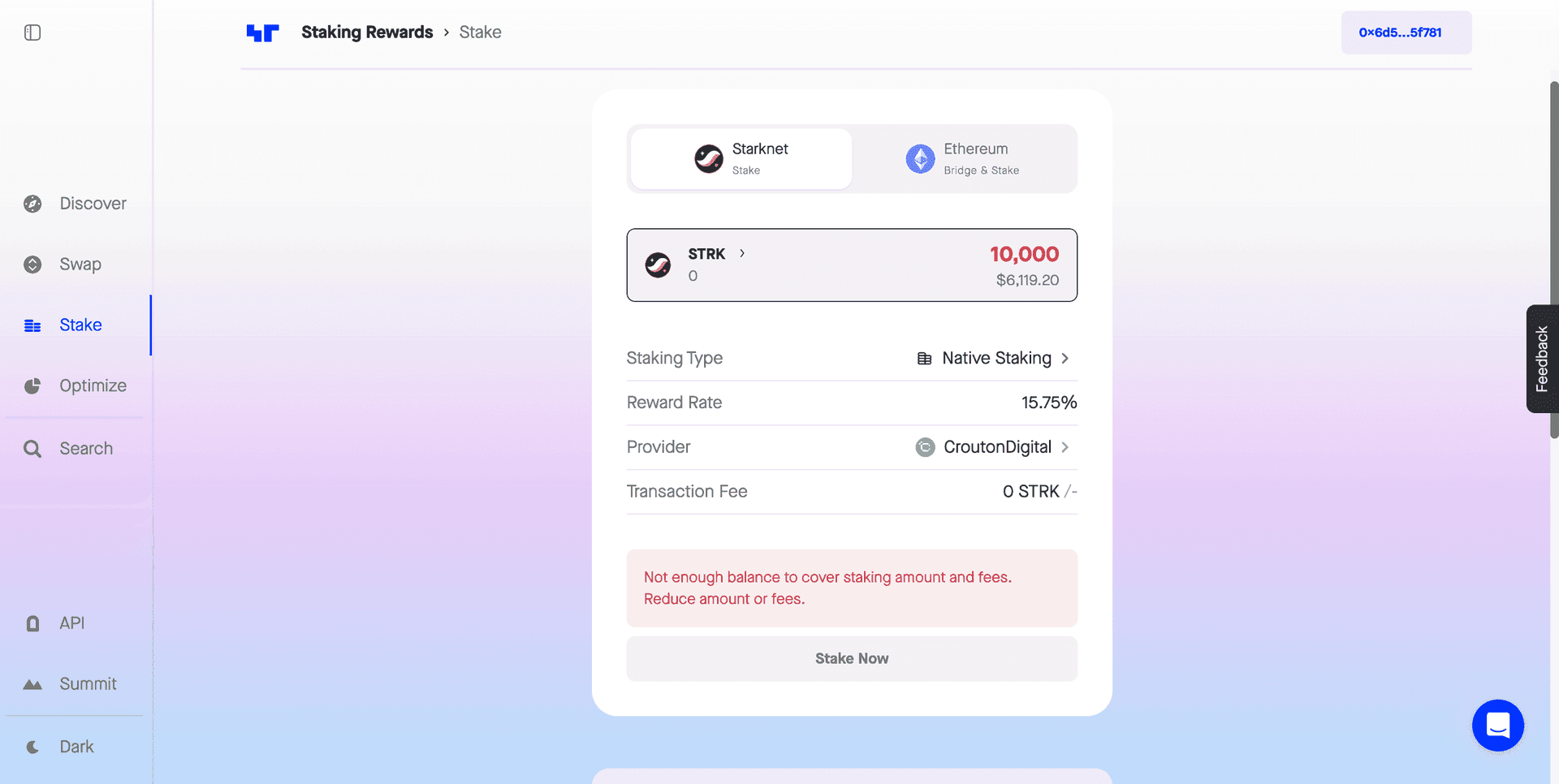
In the relevant field, enter the number of STRK tokens you wish to stake. You can also use the slider or the "+" and "-" buttons to adjust the amount.
5. Confirm the Transaction
After selecting the validator and entering the token amount, click Stake or Delegate. A window will appear displaying the staking details: the number of tokens, the selected validator, and possible fees. Confirm all details and click Confirm or Submit.
6. Confirm the Transaction in Your Wallet
You will need to confirm the transaction in your connected wallet (e.g., Argent X or Braavos). Confirm the transaction and follow the instructions in the wallet to complete the process.
7. Track Your Staking
After confirming the transaction, your STRK tokens will be staked, and you can track the staking status through the website’s interface. Information about your current balance, rewards, and the selected validator will be available in the Staked Tokens or Delegated Tokens section.
Unstaking Your Tokens
If you decide to unstake, go to the Unstake section and follow the same procedure.
Note: There is a 21-day unbonding period after you initiate the unstaking process. During this period, your tokens will be in a "pending" state and will not earn rewards. Once the 21 days are completed, your tokens will be fully available for withdrawal or transfer.